


by ZSuite Tech on Oct 7, 2026, 3:00:00 PM
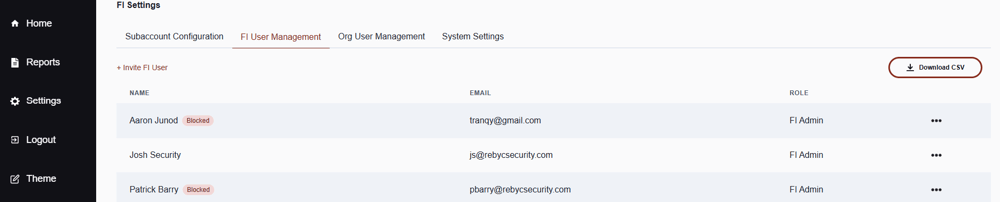
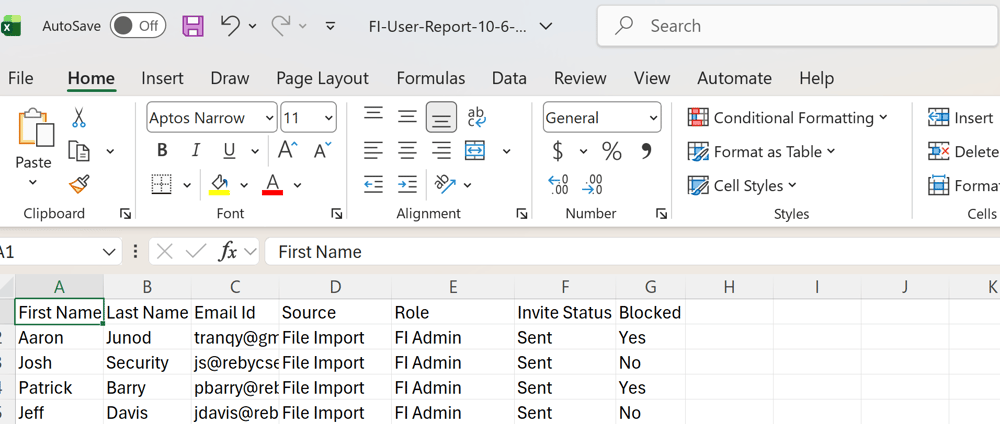
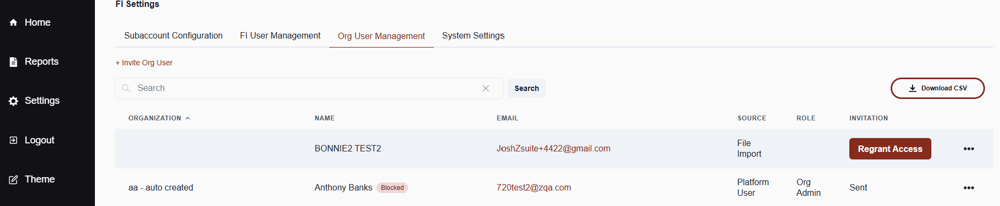
The FI User Management and Org User Management pages now display a "Blocked" status for any user who has been blocked from accessing ZEscrow. The same status appears in the downloadable CSV user reports from each page, so blocked users are easy to identify and track.
For the financial institution
FI Super Admins can block an FI user from the User Details menu:
- Go to FI User Management and select the user.
- Open the User Details menu.
- Select Block User.
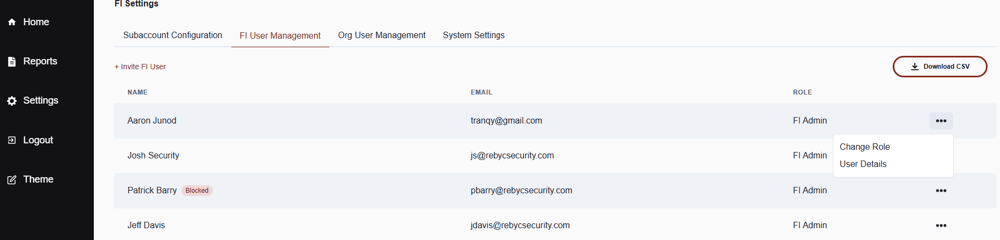
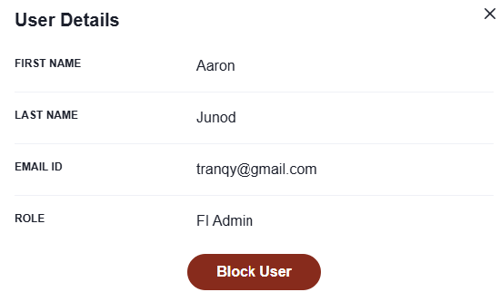
Once blocked, the user's name displays a "Blocked" label on the FI User Management page. The status is also reflected in the bank's CSV report.
For the commercial clients
The same functionality is available on the Org User Management page. Blocked org users display a "Blocked" label next to their name, and their status is included in the Org user CSV report.
Why it matters
Visible status labels make it simple to confirm at a glance who has been blocked, and including that status in the CSV reports supports access reviews, audits, and internal recordkeeping.
If you have any questions or concerns about new releases, please feel free to contact our team via email: ZSuite Product Team