


by ZSuite Tech on Jun 12, 2026, 9:15:20 AM
View Organization Details and Statement Type
FI Super Admin users can now view organization details and set the statement type for any organization.
To view organization details:
1. Open any organization and click the "..." menu from the dashboard.
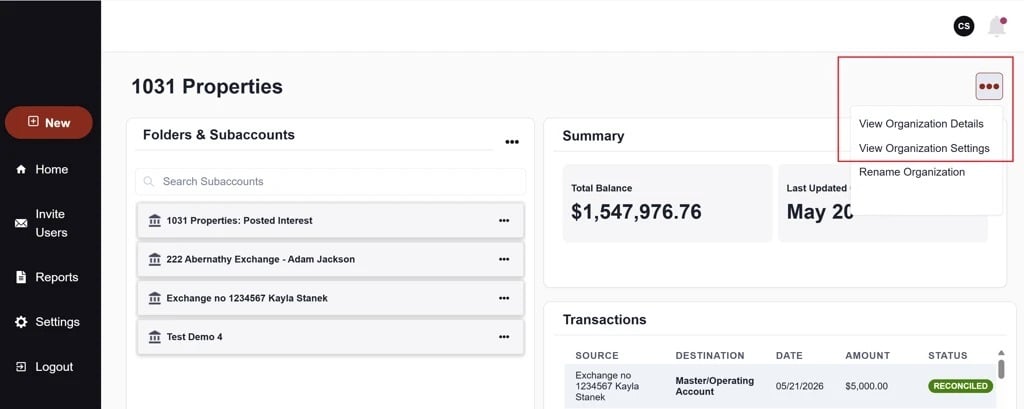
2. Select "View Organization Details" to see the organization's Tax ID, address, and account details.
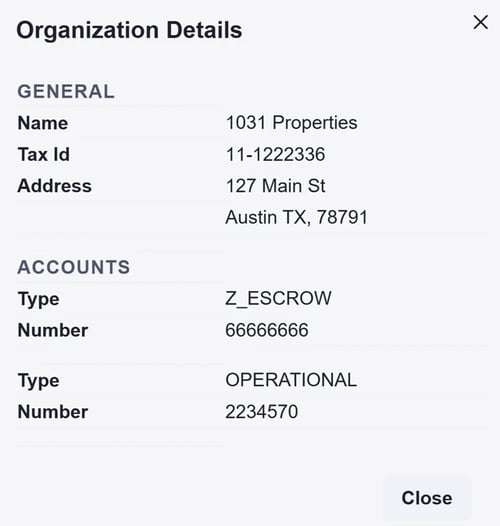
To set the statement type:
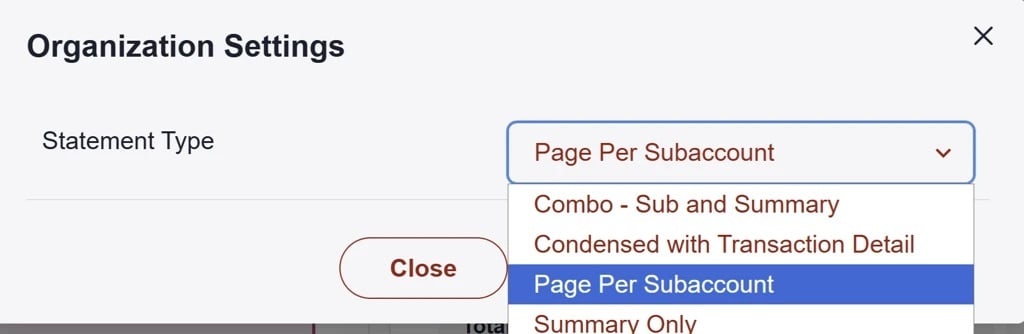
- From the same "..." menu, select "View Organization Settings."
- Choose the preferred statement type. This selection will be used to generate statements for that organization the following month.
Change Role for FI Admins
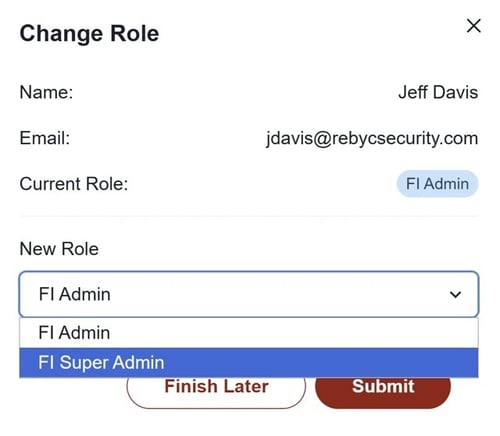
FI Super Admins can promote an existing FI Admin user to the Super Admin role.
1. Navigate to Settings > FI User Management.
2. Click the "..." menu next to the user and select Change Role.
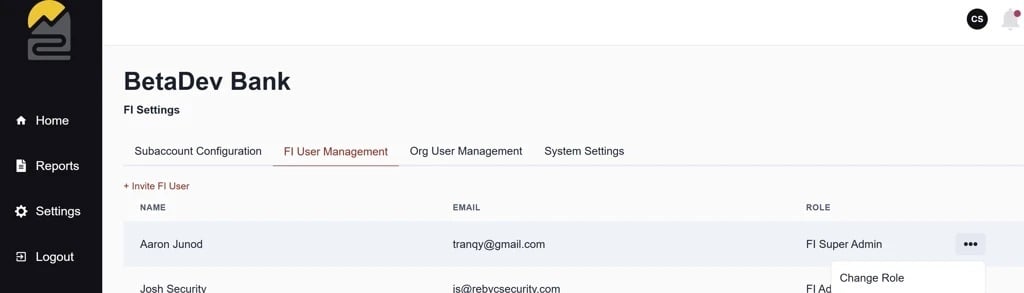
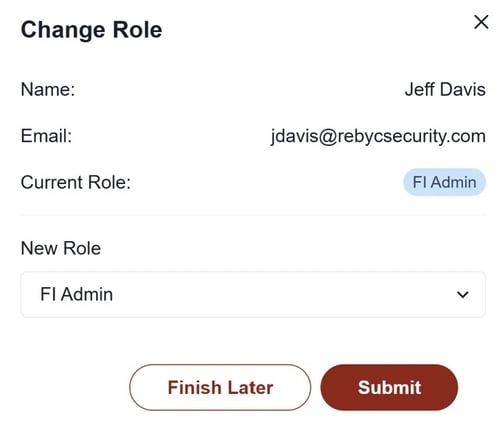
3. Select FI Super Admin from the dropdown and click Submit.

If you have any questions or concerns about new releases, please feel free to contact our team via email: ZSuite Product Team