


by ZSuite Tech on Sep 3, 2026, 12:56:32 PM
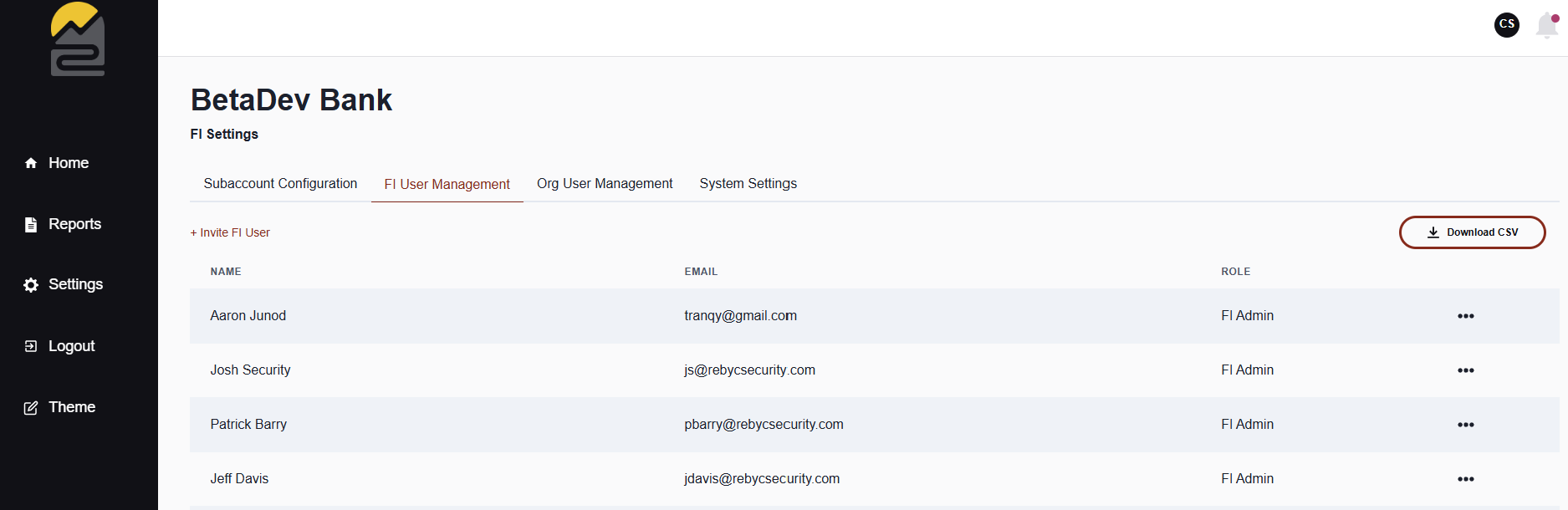
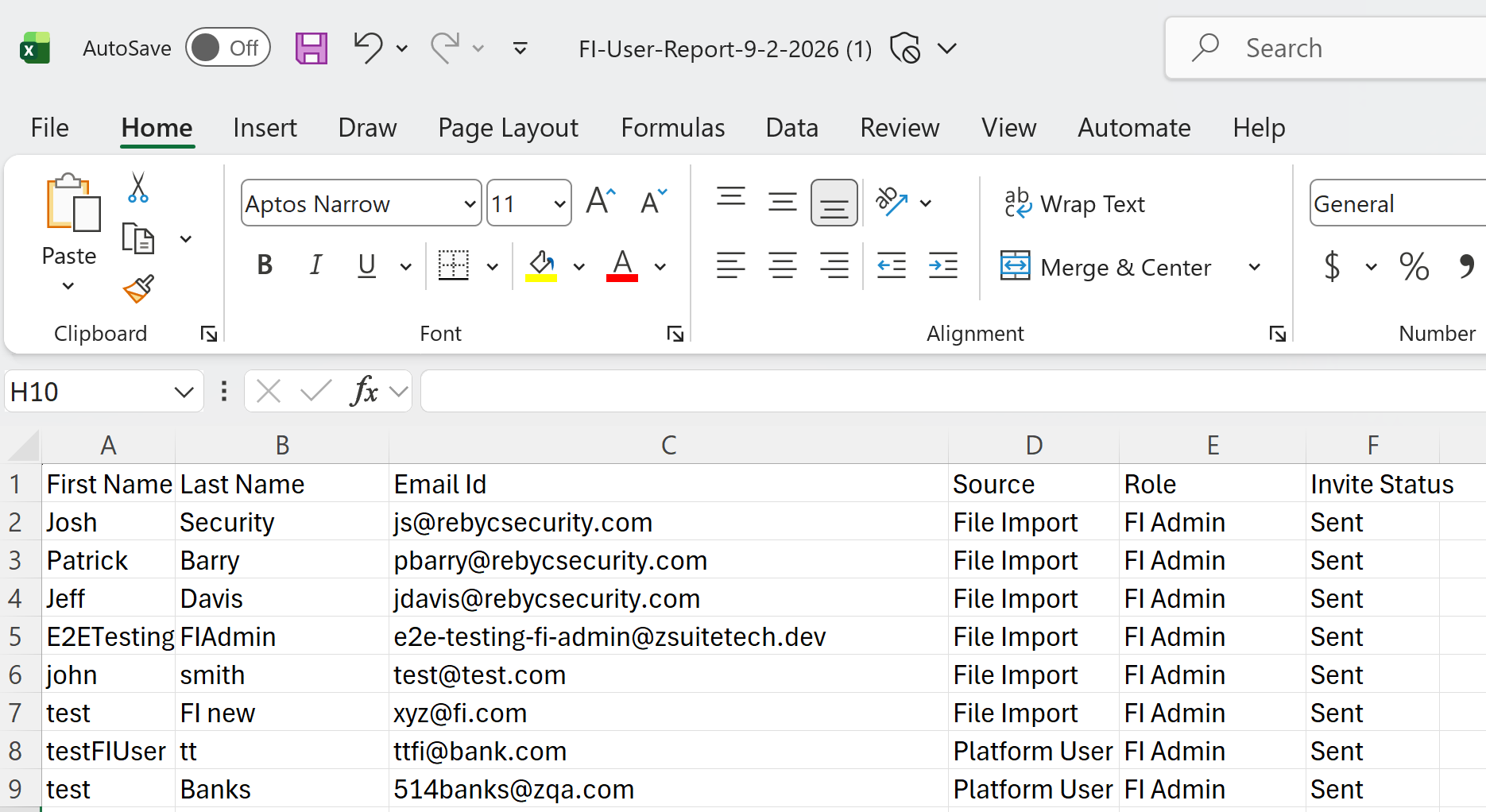
FI users can now export their user list to a CSV file from the user management page.
How to export
- Go to Settings > FI User Management.
- Select Download CSV.
The exported file contains the user information shown on screen, making it easier to support auditing and tracking needs.
If you have any questions or concerns about new releases, please feel free to contact our team via email: ZSuite Product Team