


by Jill Feiler on Jan 11, 2023, 2:32:03 PM
Wire Transaction (Optional per FI)
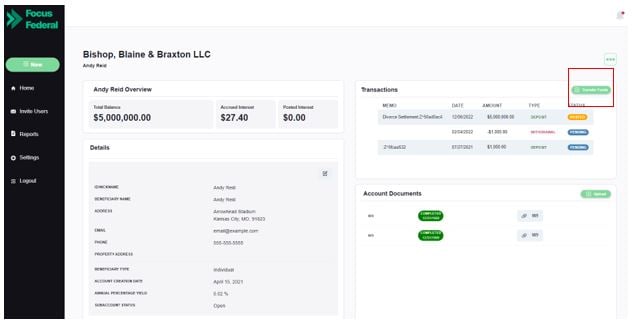
This feature provides the ability to send information for a Wire request and then view the same on a report. It is an optional feature per FI. If the FI chooses to have the wire transfer feature, then, to initiate a wire transfer on an existing subaccount, the authorized user will first need to select the appropriate subaccount from the Organization dashboard. From there, the user will click on the green button “Transfer Funds” in the “Transactions” section.
Step 1:
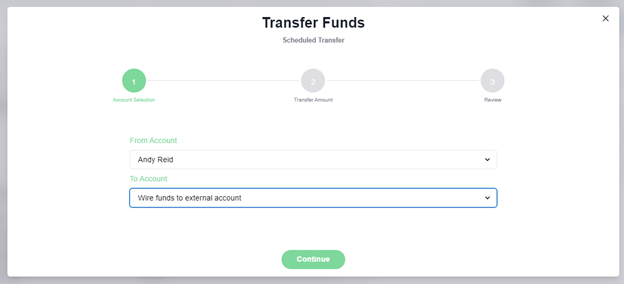
A new screen will then appear which gives the user the options to select the transaction type (based on the “to” and “from” account options). Here the user will pick the From Account as the subaccount name and the To Account as “Wire funds to External Account”
Step 2:
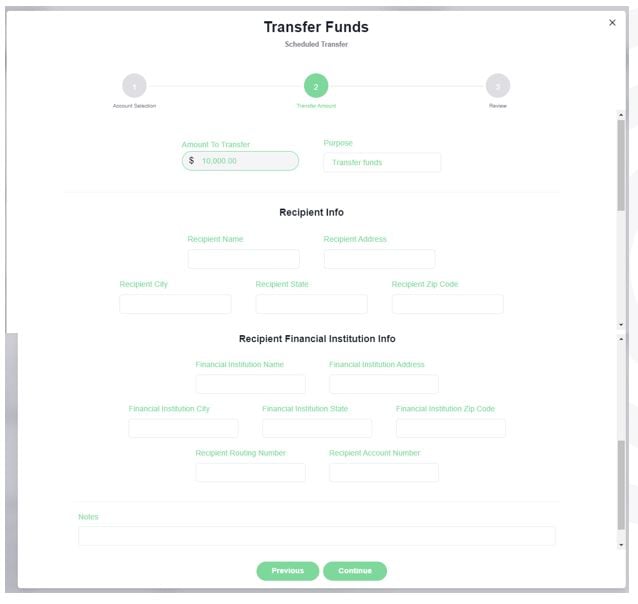
The user will enter the amount to be transferred and insert an optional purpose for record keeping.
In addition to the above the user will have to enter the Recipient Name, address as well as the external FI account information.
Step 3:
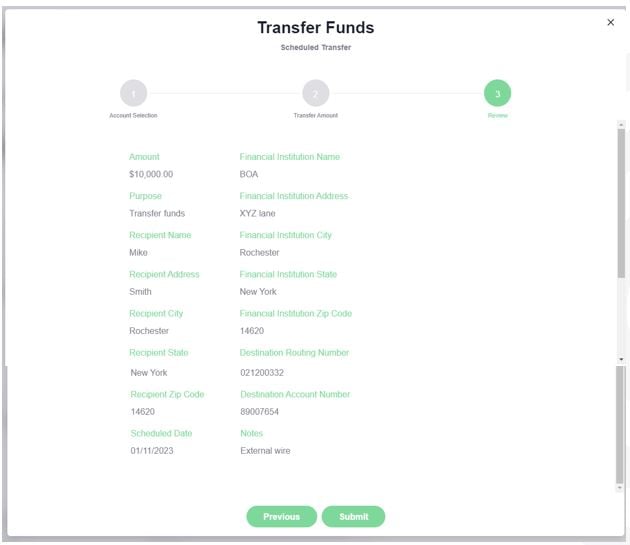
The next step of the process is to review the transaction details for accuracy and click “Submit” to save the wire information.
Step 4:
The FI will receive an email that provides them with an identifier and that can be used to find the wire information on a report in ZEscrow as shown below.
This can be accessed by navigating to the “Reports” section on the left navigation bar and then choosing the “Wire Information Report” and the respective organization.

Step 5:
The FI can then use this information and initiate the actual wire transfer at their end.
Coming Soon
Ability to send information for a Wire request and then view the same on a report at subaccount closure. This feature will be optional per FI.